> For the complete documentation index, see [llms.txt](https://documents.vinovathemes.com/furstore-documentation/llms.txt). Markdown versions of documentation pages are available by appending `.md` to page URLs; this page is available as [Markdown](https://documents.vinovathemes.com/furstore-documentation/cart-settings/cart-popup.md).
# Cart Popup
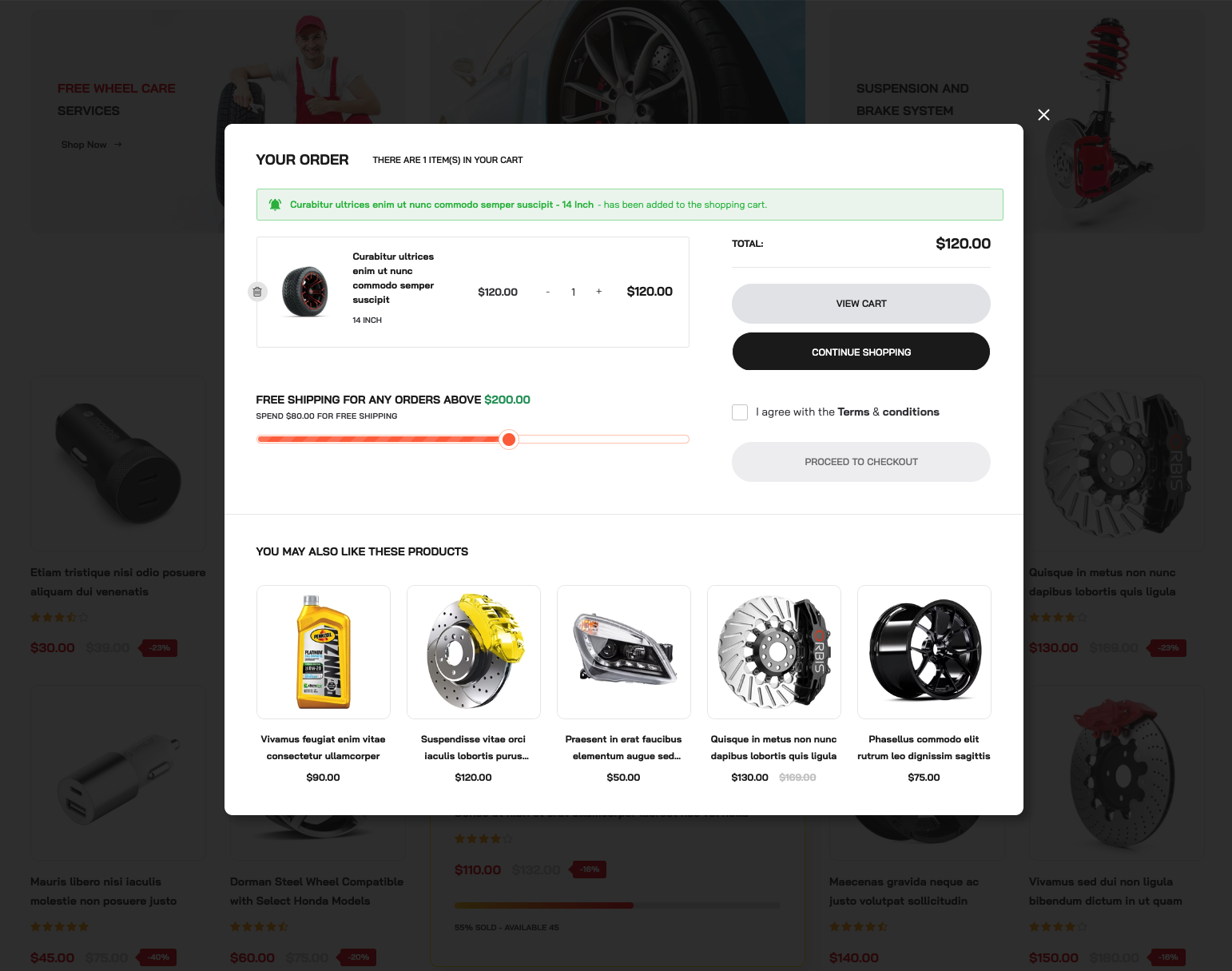
Whenever you add a product to your cart, either on the homepage or the product detail page, a cart popup appears. You can customize this cart popup, hide its elements, or disable this function. We will guide you through the steps to make these changes.
Cart Popup
{% hint style="success" %}
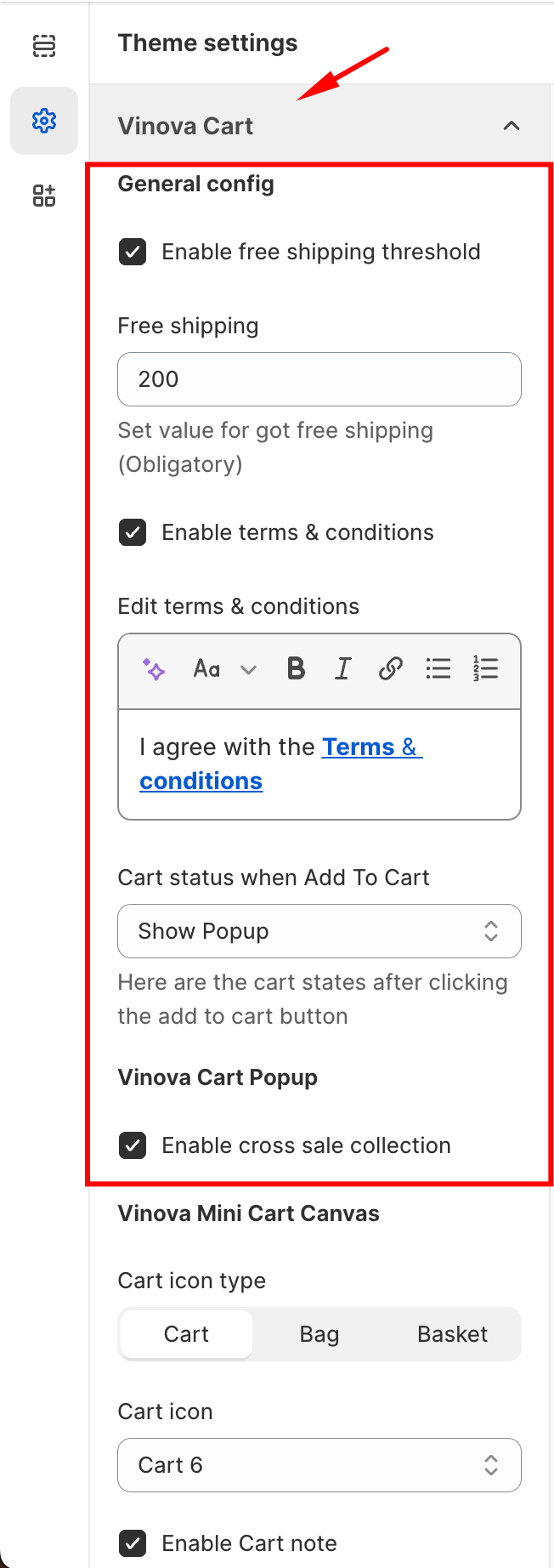
From "**Theme Settings**", click the tab "**Vinova Cart**"
{% endhint %}
1. **Enable cart popup:** Enable / Disable cart popup function.
2. **Enable free shipping threshold:** Enable / Disable free shipping threshold bar.
3. **Free shipping:** Set the order value that customers can get Free Shipping in the field below (In the picture, the Free Shipping order value is $200).
4. **Enable cross sale collection:** Enable / Disable the collection "YOU MAY ALSO LIKE THESE PRODUCTS".
5. **Edit terms & conditions:** Change the content in the checkbox.