> For the complete documentation index, see [llms.txt](https://documents.vinovathemes.com/furstore-documentation/llms.txt). Markdown versions of documentation pages are available by appending `.md` to page URLs; this page is available as [Markdown](https://documents.vinovathemes.com/furstore-documentation/general-settings/wishlist.md).
# Wishlist
The wishlist app is built into our theme. After installing the Theme, you need to create a page wishlist and configure the page for this app to work correctly. If you do not follow the steps as instructed, your wishlist function will not work, and you may mistakenly think that this function is faulty.
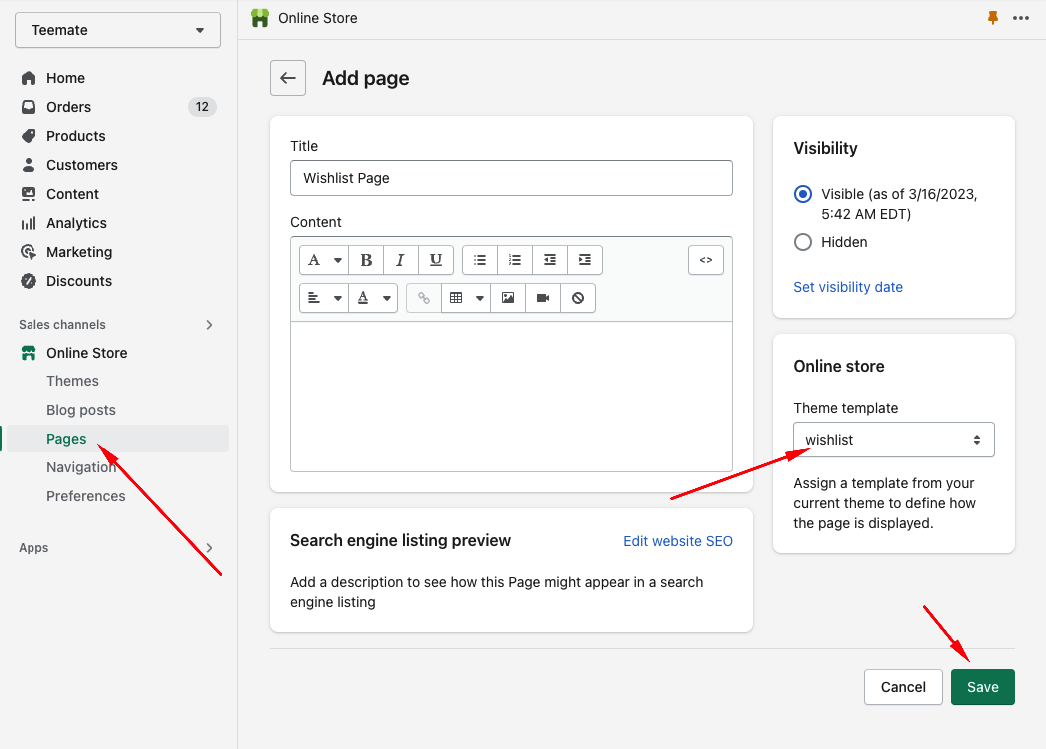
**Step 1**: From your Shopify admin, go to "**Online Store**" > "**Page**" > Click **"Add Page**" Button.
{% hint style="info" %}
1. Create a page named "**wishlist**" or whatever you feel is relevant (It is not necessary to name the page correctly as "**Wishlist**")
2. **Theme template:** Select the template "Wishlist" (This option is required)
3. Click the **"Save"** button to finish.
{% endhint %}
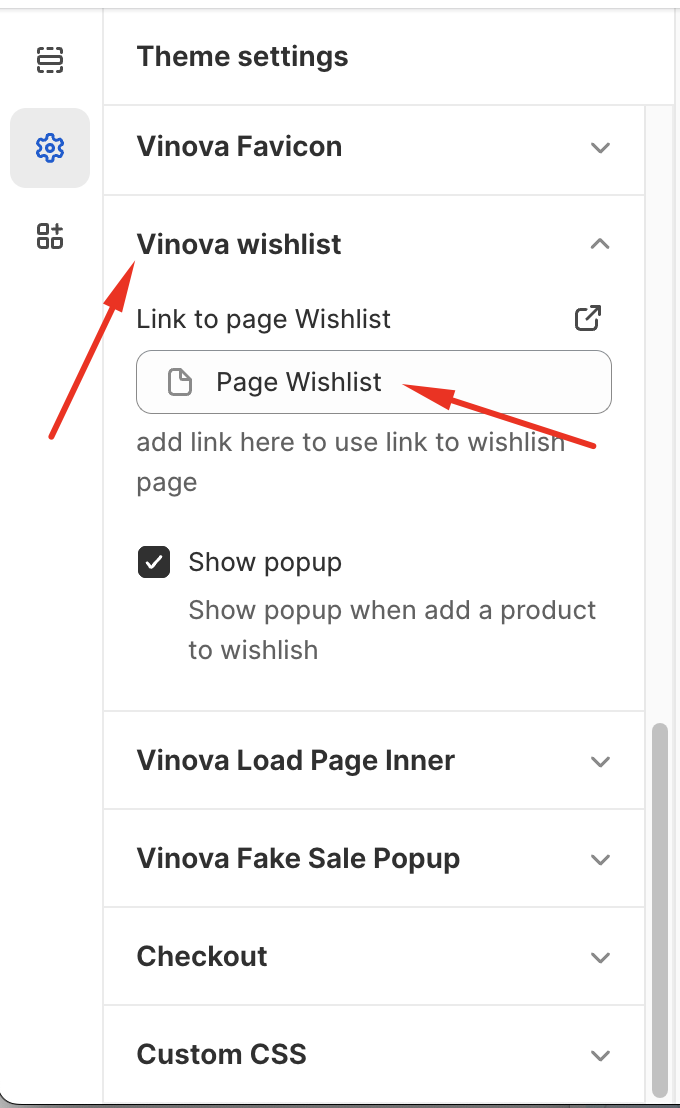
**Step 2:** From "**Theme settings**", Click the Tab "**Vinova Wishlist**" and link to the wishlist page you just created. Click the **"Save"** button to finish.