> For the complete documentation index, see [llms.txt](https://documents.vinovathemes.com/ubanist-documentation/llms.txt). Markdown versions of documentation pages are available by appending `.md` to page URLs; this page is available as [Markdown](https://documents.vinovathemes.com/ubanist-documentation/blog-settings/blog-comment-settings.md).
# Blog Comment Settings
#### To show or hide comments on detailed blog posts, please see the instructions below:
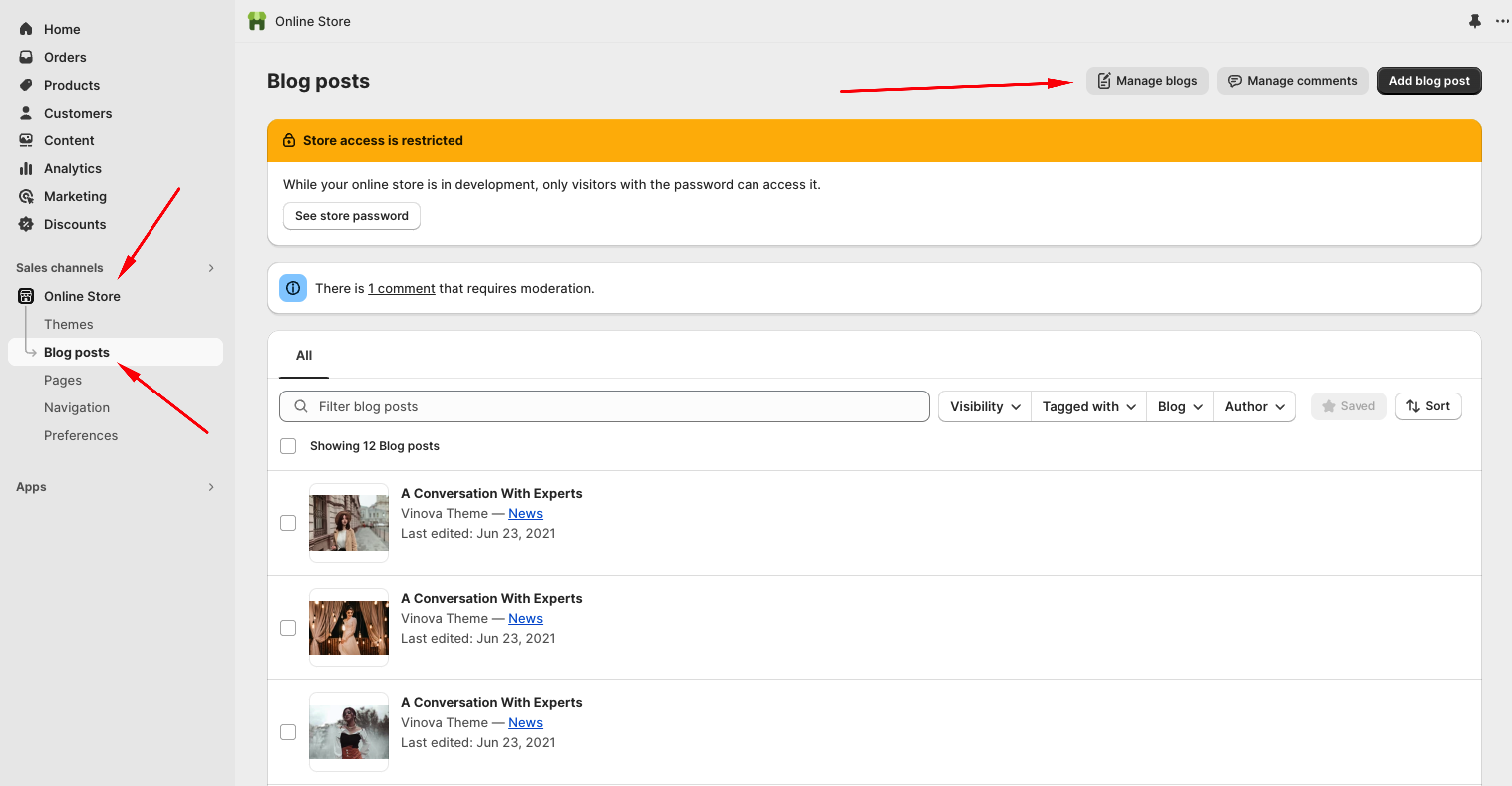
* From your Shopify admin, go to "**Online Store**" -> "**Blog Posts**" -> Click the "**Manage blogs**" button.
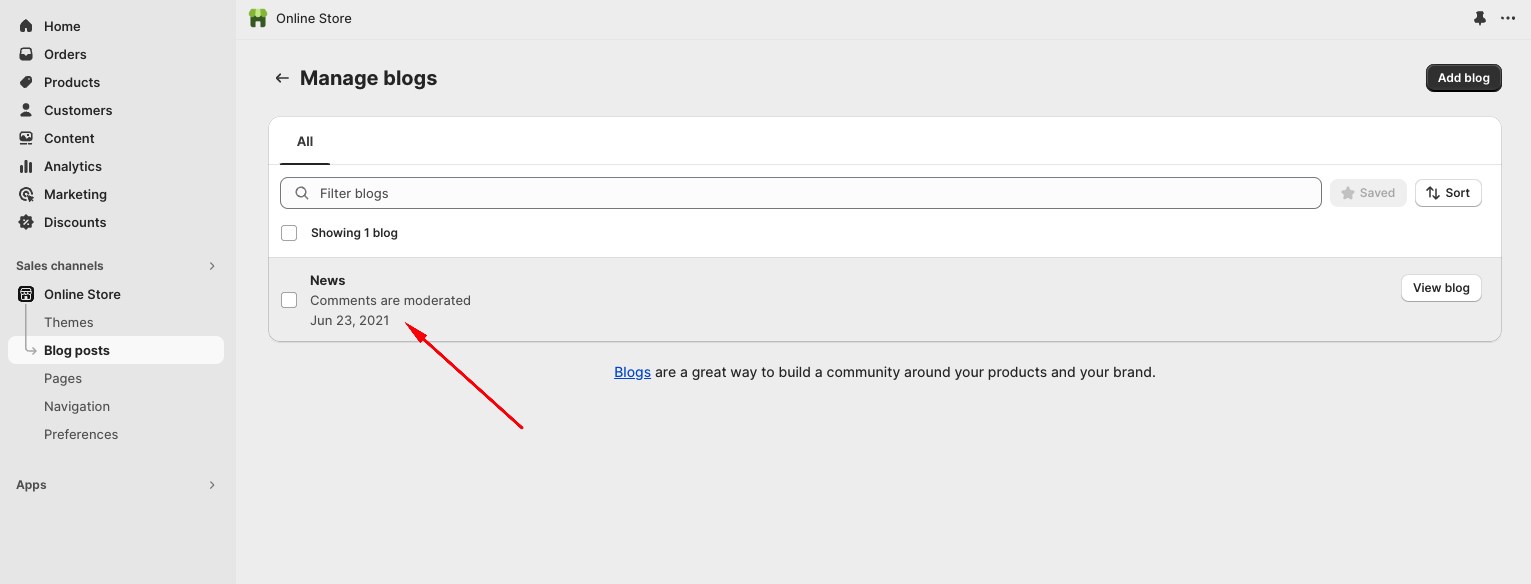
* Select the comment you want to customize.
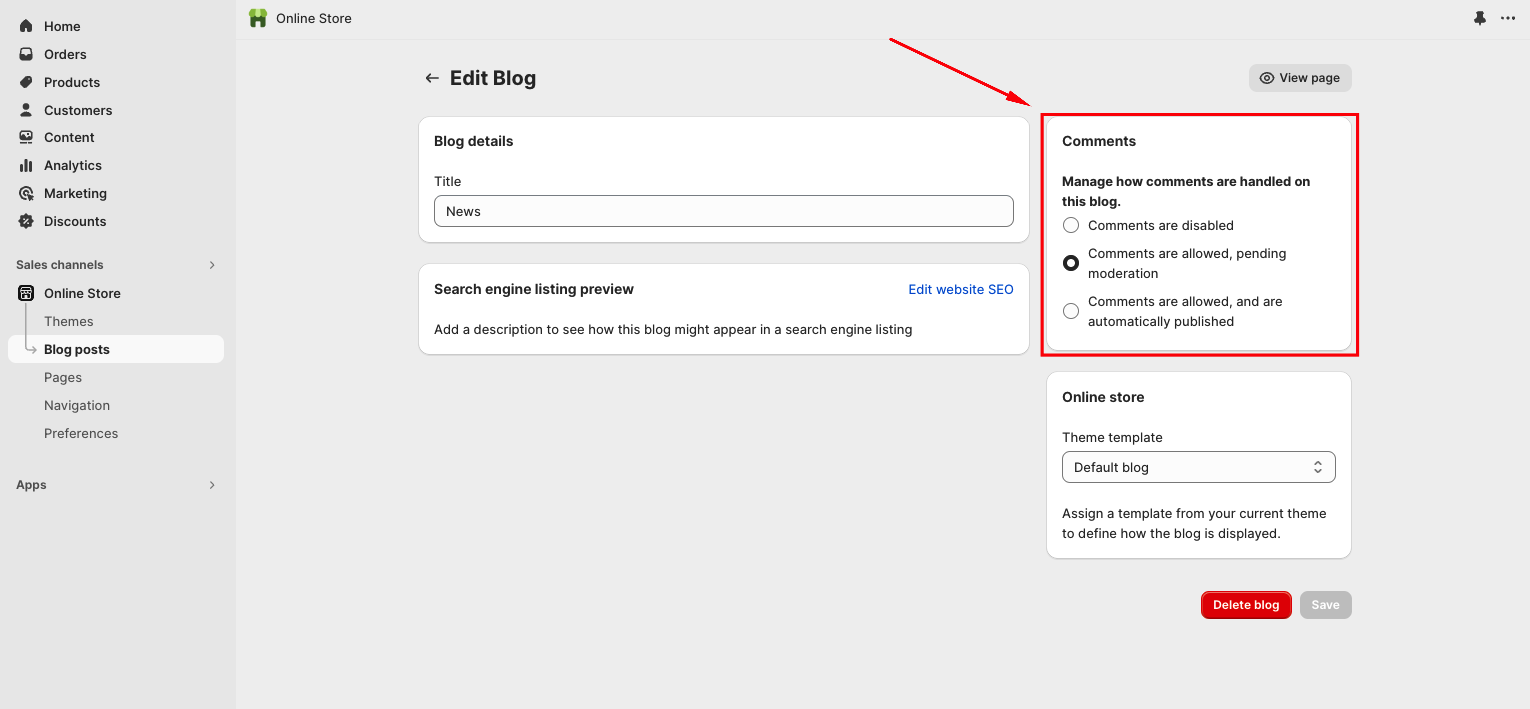
* Comment Settings panel in the right bar.