> For the complete documentation index, see [llms.txt](https://documents.vinovathemes.com/ubanist-documentation/llms.txt). Markdown versions of documentation pages are available by appending `.md` to page URLs; this page is available as [Markdown](https://documents.vinovathemes.com/ubanist-documentation/general-settings/currency-settings.md).
# Currency Settings
Use multi currency by adding different currency according to the instructions in this setting.
## 1 - How to configure currency?
{% hint style="info" %}
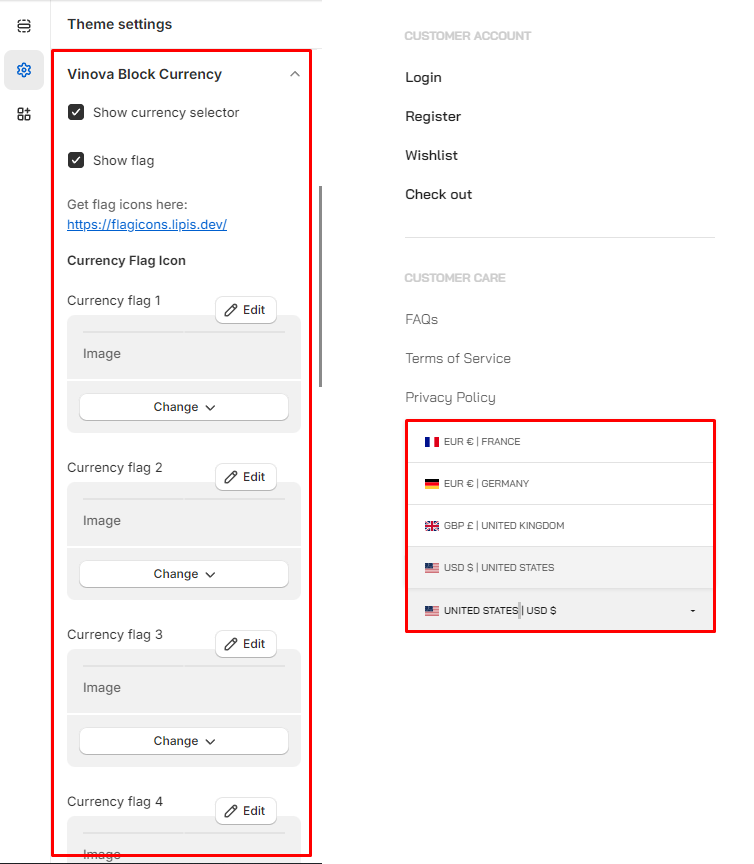
From "**Theme Settings**", click the tab "**Vinova Block Currency**"
{% endhint %}
1. **Show currency selector:** Enable/Disable block currency
2. **Show flag:** Enable/Disable flag block currency
3. **Add currency flags:** Get flag icons > [Here](https://flagicons.lipis.dev)
## 2 - Settings Multi-Currency
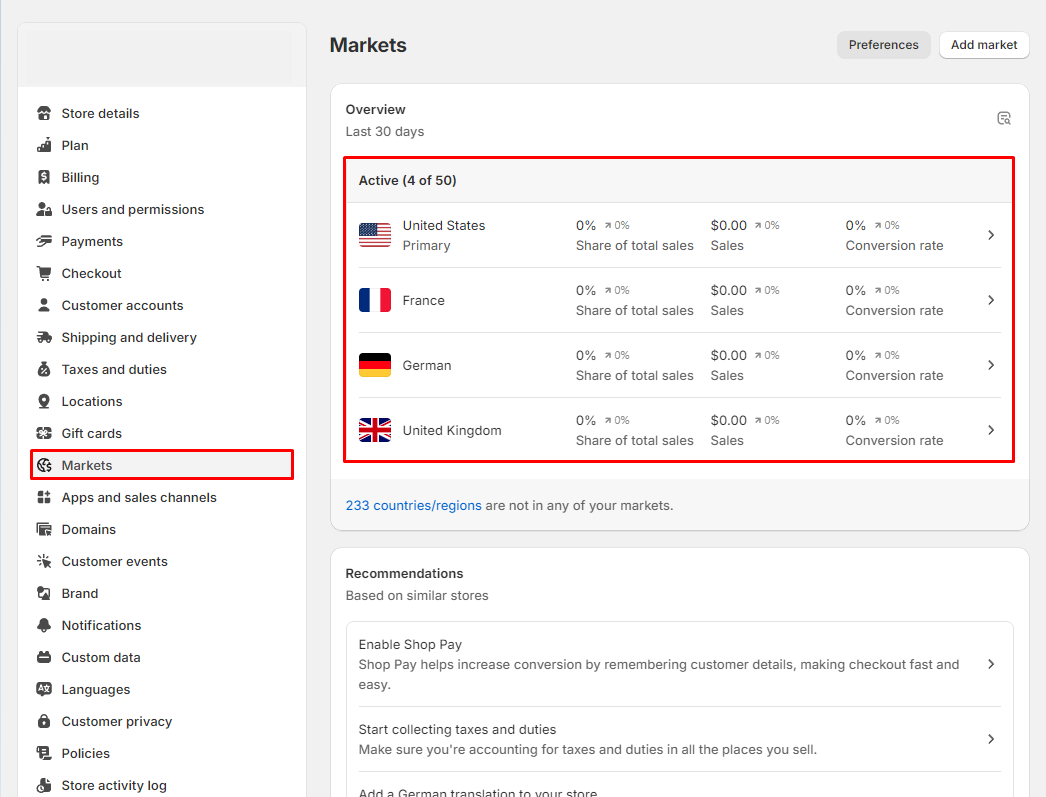
Our currency converter operates based on the markets you are licensed to. Please add the corresponding markets and currency units so that they will be automatically displayed on the website.
1. From your Shopify admin, go to **Settings > Markets > Add markets.**