> For the complete documentation index, see [llms.txt](https://documents.vinovathemes.com/ubanist-documentation/llms.txt). Markdown versions of documentation pages are available by appending `.md` to page URLs; this page is available as [Markdown](https://documents.vinovathemes.com/ubanist-documentation/general-settings/header-settings.md).
# Header Settings
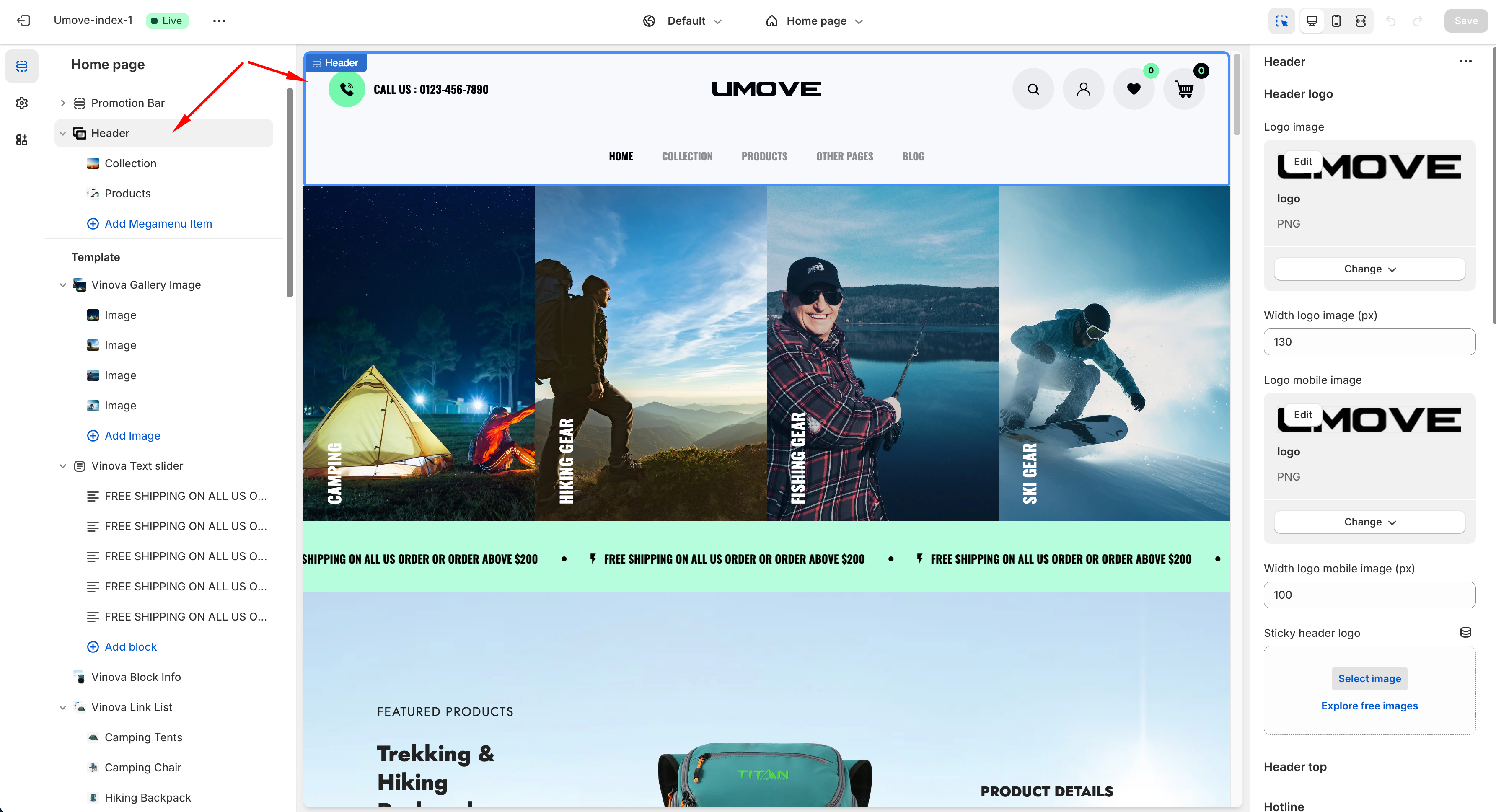
Please click on the **Header section** (The first section at the top). The customization panel of this section is on the right-hand side. If the Theme has a promotion bar on top, customize this section's position in the Header section.
{% hint style="info" %}
**Please note :**
1 - For the **Wishlist** feature to work well, you must configure the page wishlist. [**See instructions here**](/ubanist-documentation/general-settings/wishlist.md)
2 - If you want to display the **Account** icon on the header, you need to configure the Customer Account in Shopify Admin Setting; please read [**the instructions here**](/ubanist-documentation/general-settings/enable-customer-account.md)
{% endhint %}
### In the Header section, you can customize:
1. Upload Logo desktop & Logo mobile
2. Customize the top promotion bar (if any)
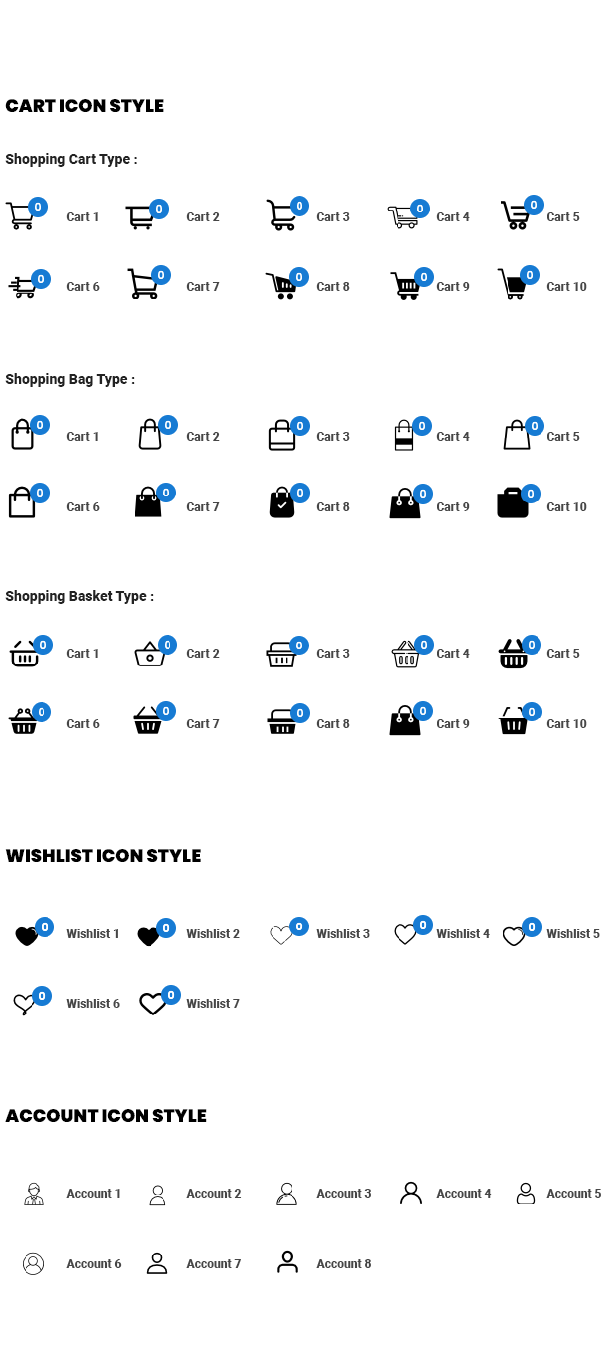
3. Change the Cart icon, Wishlist icon, and Account icon style with the available list. Customize icon color, background hover color, and background color. For details on these icons, please see the image below.
4. Enable/Disable header sticky on desktop & mobile. Customize the sticky background color.
5. Set the main menu for the header.
6. Set the background color for the main menu.
7. Some background opacity customization
8. And more...
{% embed url="" %}