Cart Popup
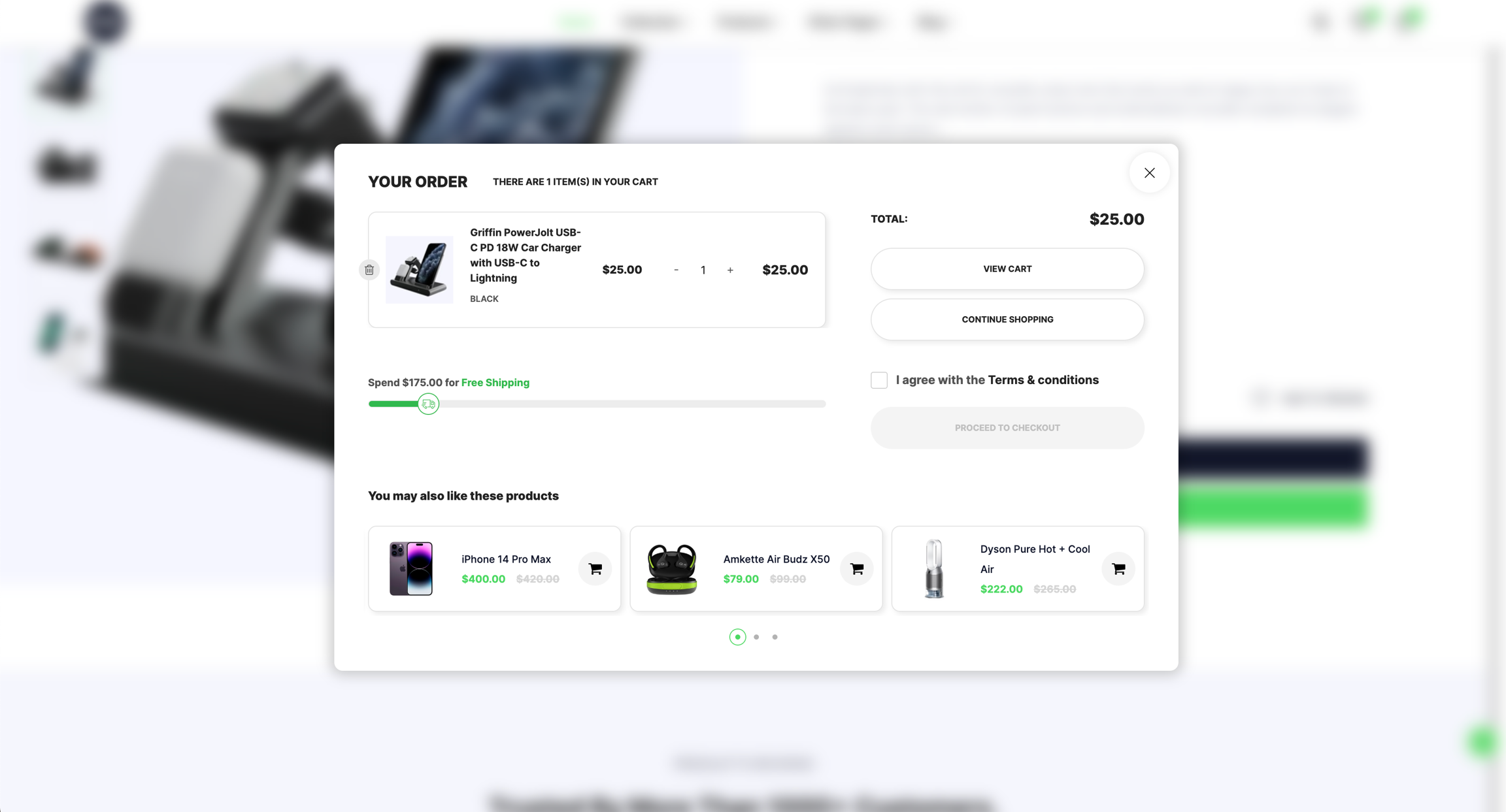
Whenever you add a product to your cart, either on the homepage or the product detail page, a cart popup appears. You can customize this cart popup, hide its elements, or disable this function. We will guide you through the steps to make these changes.
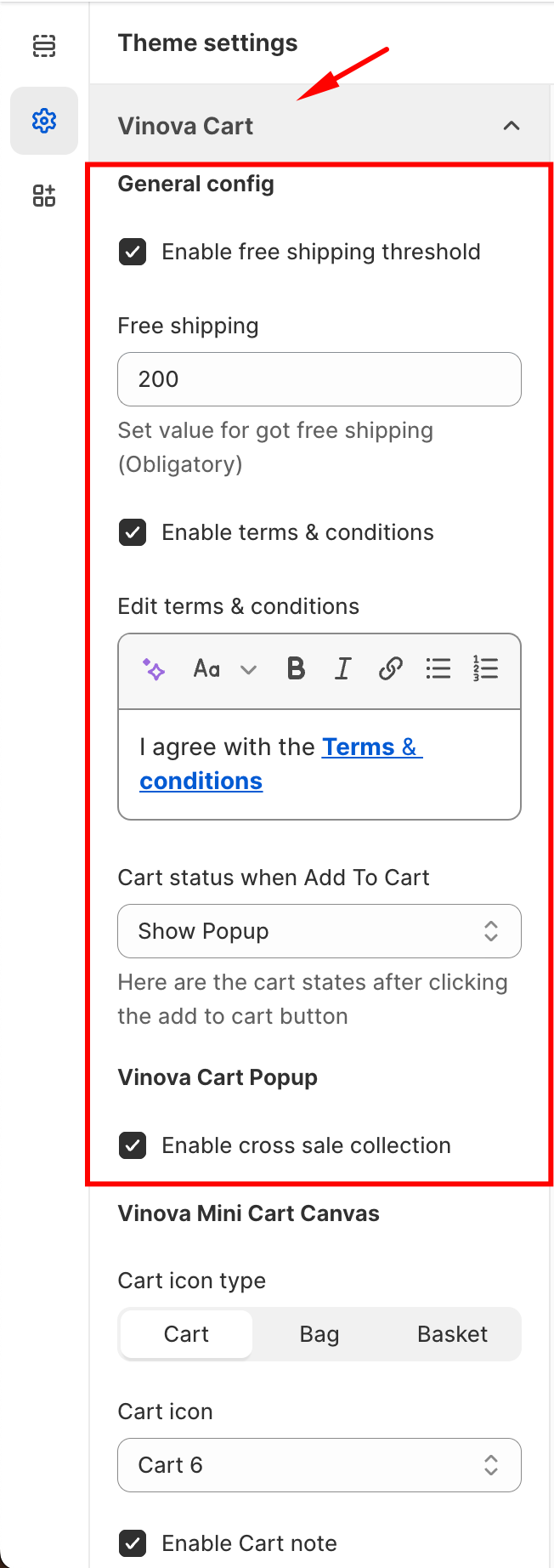
From "Theme Settings", click the tab "Vinova Cart"
Enable cart popup: Enable / Disable cart popup function.
Enable free shipping threshold: Enable / Disable free shipping threshold bar.
Free shipping: Set the order value that customers can get Free Shipping in the field below (In the picture, the Free Shipping order value is $200).
Enable cross sale collection: Enable / Disable the collection "YOU MAY ALSO LIKE THESE PRODUCTS".
Edit terms & conditions: Change the content in the checkbox.