Newsletter Popup
If you're planning to launch a new campaign or introduce a new product, it's crucial to start growing your email list right away. This is where Newsletter Popup comes in - it allows you to build an email collecting pop-up on your Shopify store without any coding knowledge. Our pop-up makes it easy to collect email addresses from both existing and potential customers who visit your store. So why wait? Start building your email list today!
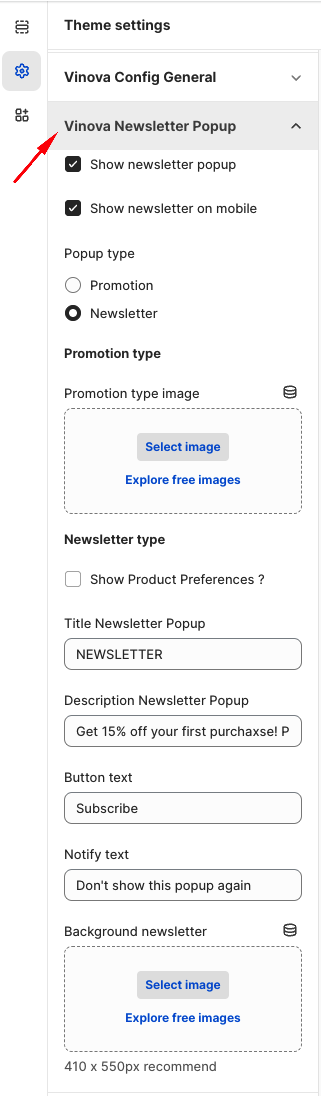
From "Theme Settings", click the tab "Vinova Newsletter Popup"
Show newsletter popup: This option allows you to disable/enable the newsletter popup function.
There are two types of popups: Promotion and Newsletter. If you choose Promotion, the popup is a banner image with an added link to take customers to the promotion collection.
The fields below include adding title, description, and image.