> For the complete documentation index, see [llms.txt](https://documents.vinovathemes.com/furstore-documentation/llms.txt). Markdown versions of documentation pages are available by appending `.md` to page URLs; this page is available as [Markdown](https://documents.vinovathemes.com/furstore-documentation/blog-settings/setup-blog-page-layout.md).
# Setup Blog Page Layout
We provide up to 05+ Blog page layout styles and 03+ Blog detail layout styles for you to use. To set the style for the detail page please follow these steps:
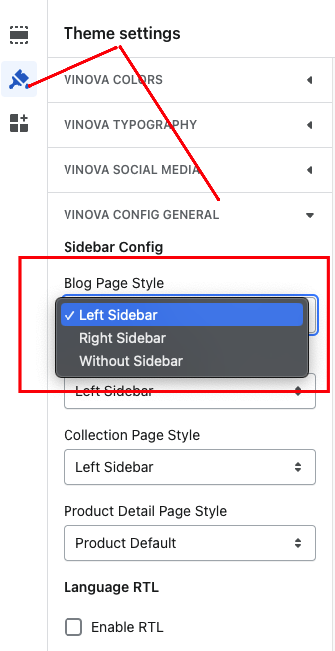
From "**Theme Settings**", click the tab "**Vinova Config General**" -> "**Blog Page Style**" Choose your favorite style and press the "**Save**" button
{% hint style="info" %}
**Please note:** "Blog list view" style & "Blog column view" style are customized in page setting. Please watch the video below
{% endhint %}
{% embed url="" %}